
Items
- Supervisor
Items (called products on some screens) are what marshals sell: parking by the hour, a market stall for the day, a vendor licence. Each item has a price, tax, unit of measure and GL code. Marshals only see the items assigned to them.
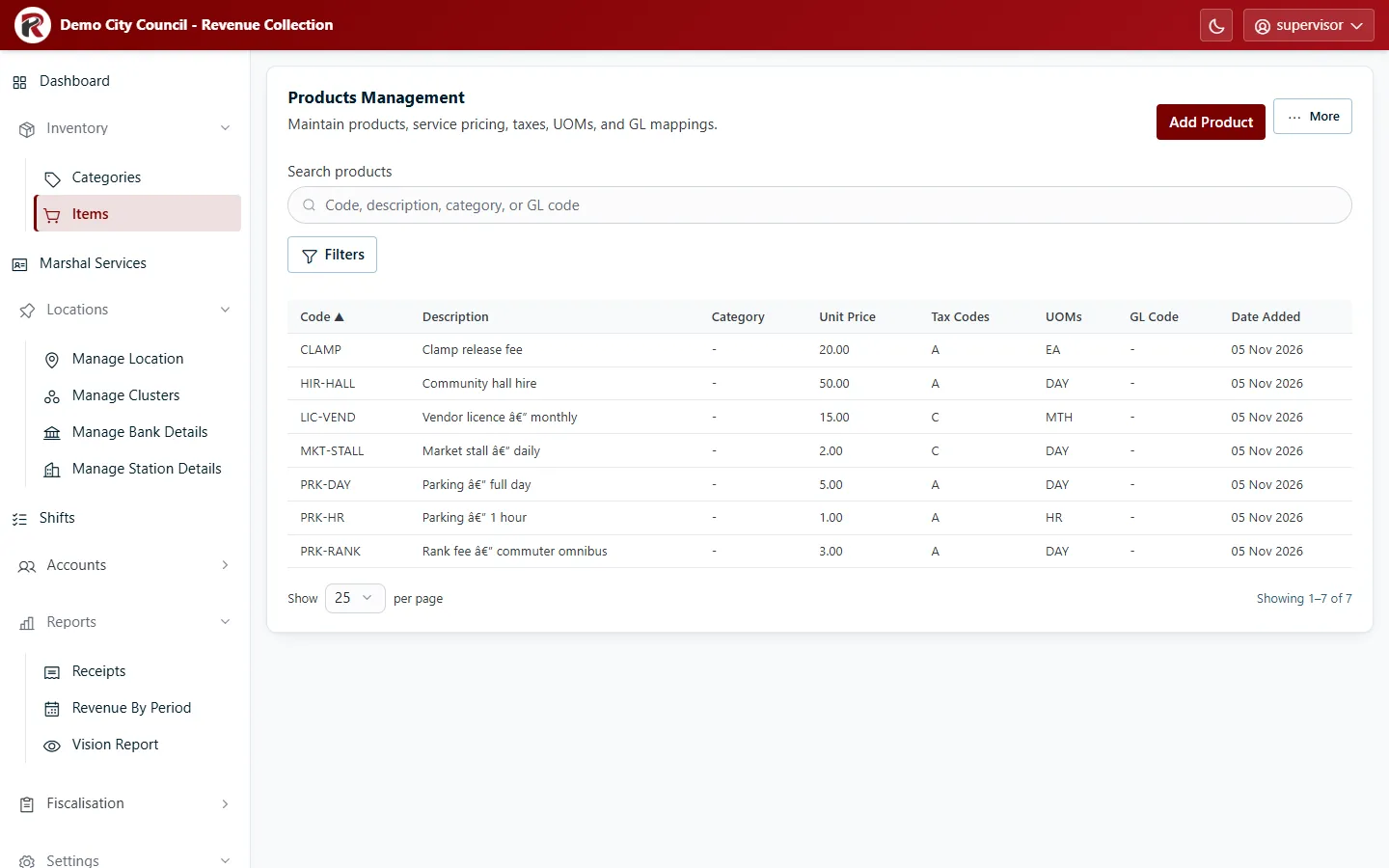
Changing items needs the Manage Products permission (see Roles and access).
Add an item
Section titled “Add an item”- Select Add Product.
- Fill in the form:
- Product Code: a short, unique code, for example
PRK-HR. Reports show it, and it can’t be reused. - Description: the name marshals and customers see.
- Unit Price (Including Tax): what the customer pays.
- Category, and the tax codes and units of measure (UOMs) that apply.
- GL Code (numbers only) for posting to the ledger, and HS Code if your council uses one.
- Product Code: a short, unique code, for example
- Select Add Product.
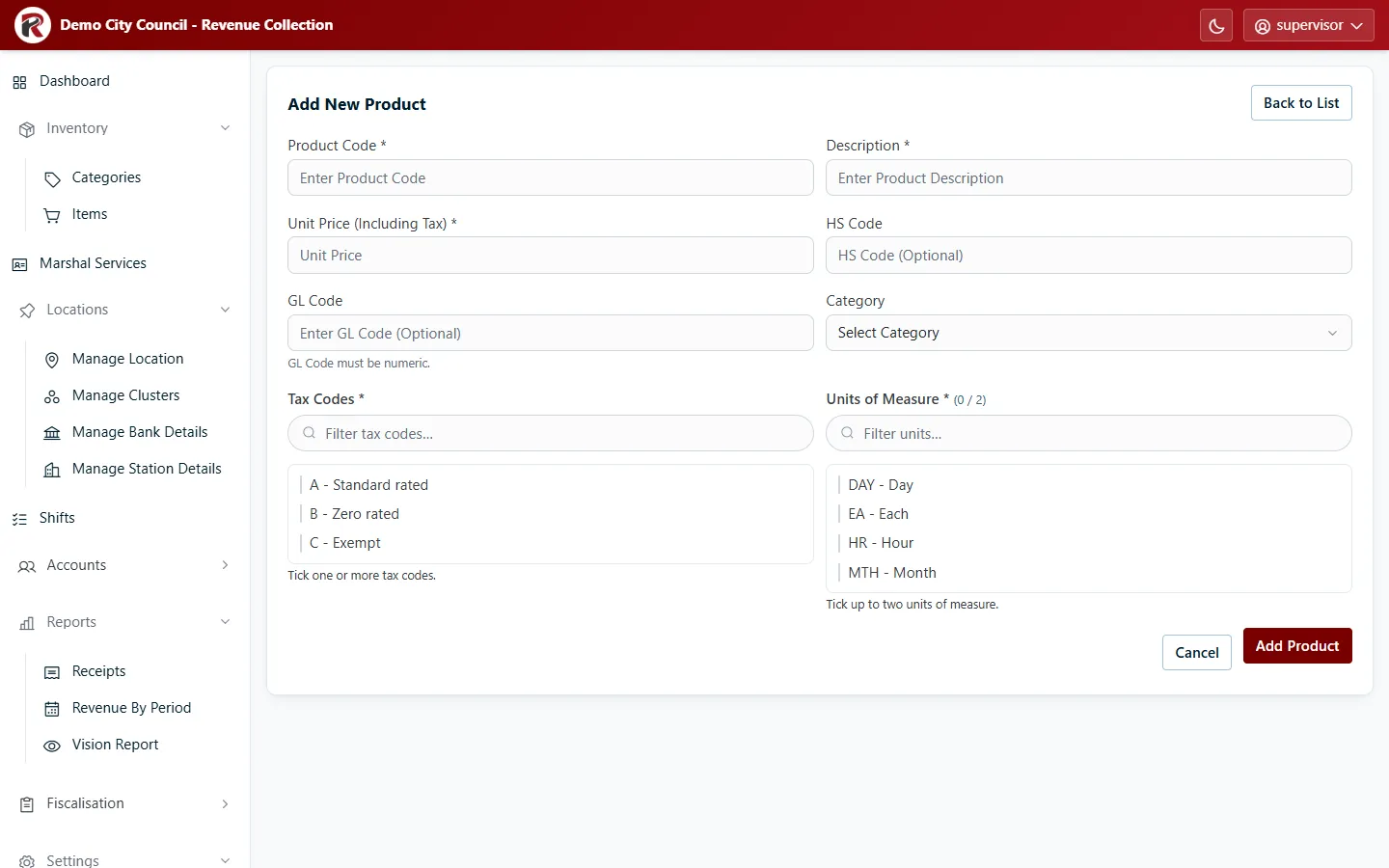
The new item reaches marshals’ handhelds on their next sync, once it’s assigned to them in Marshal Services.
Find, change or retire an item
Section titled “Find, change or retire an item”- Search by code or description. Filters narrows by category.
- Select a row to see the item in its drawer. Edit changes it.
- Disable (under ⋯) withdraws an item from sale. Its past receipts are unchanged.
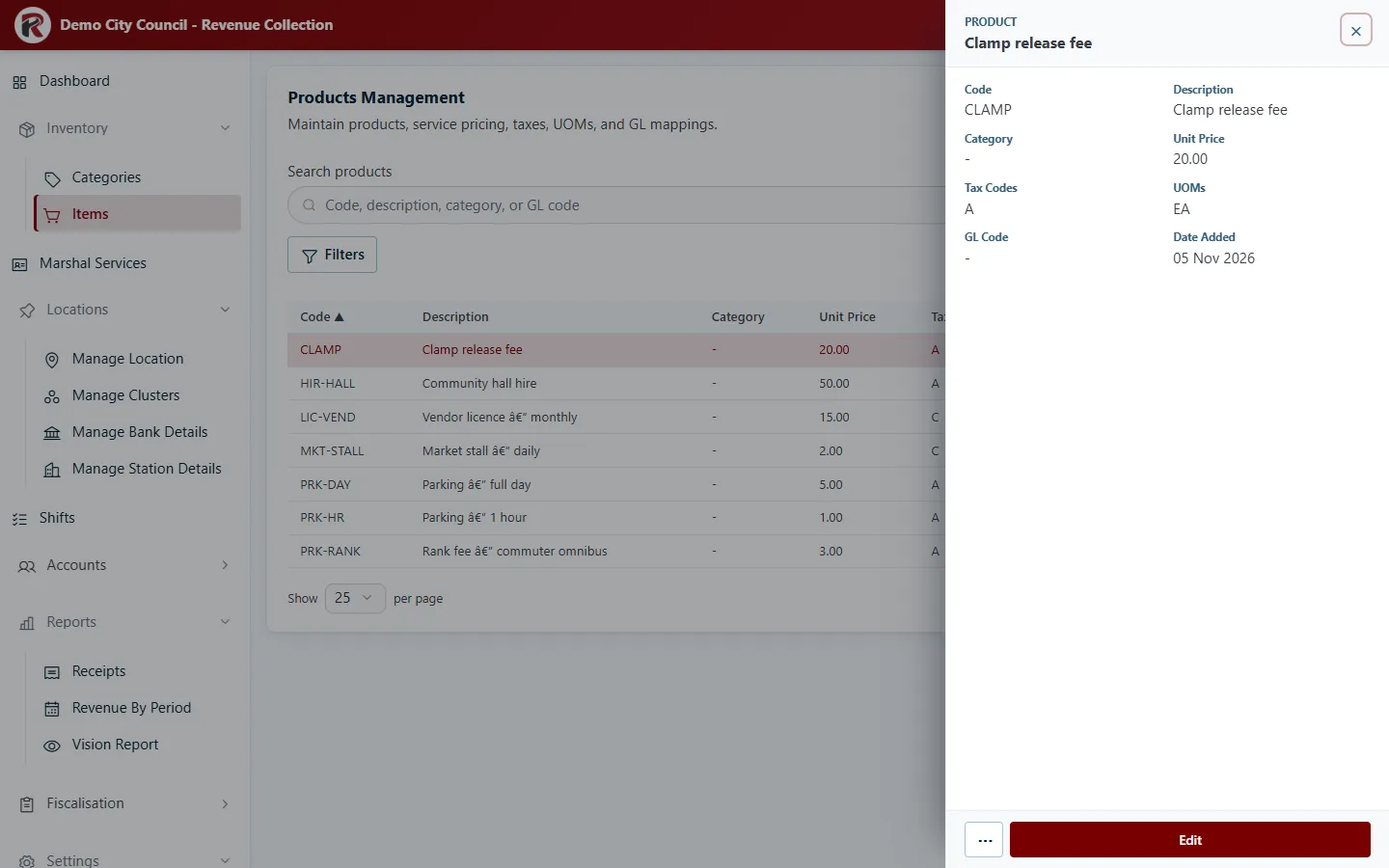
More exports the list as CSV, Excel or PDF.
RevColl user manual · build 19463 · Axis Solutions · Back to RevColl