
Bank details
- Supervisor
- Administrator
Bank details record where each cluster banks its collections: the bank, its bank code and the currency of the account. A cluster can have one account per currency. The menu calls this screen Manage Bank Details.
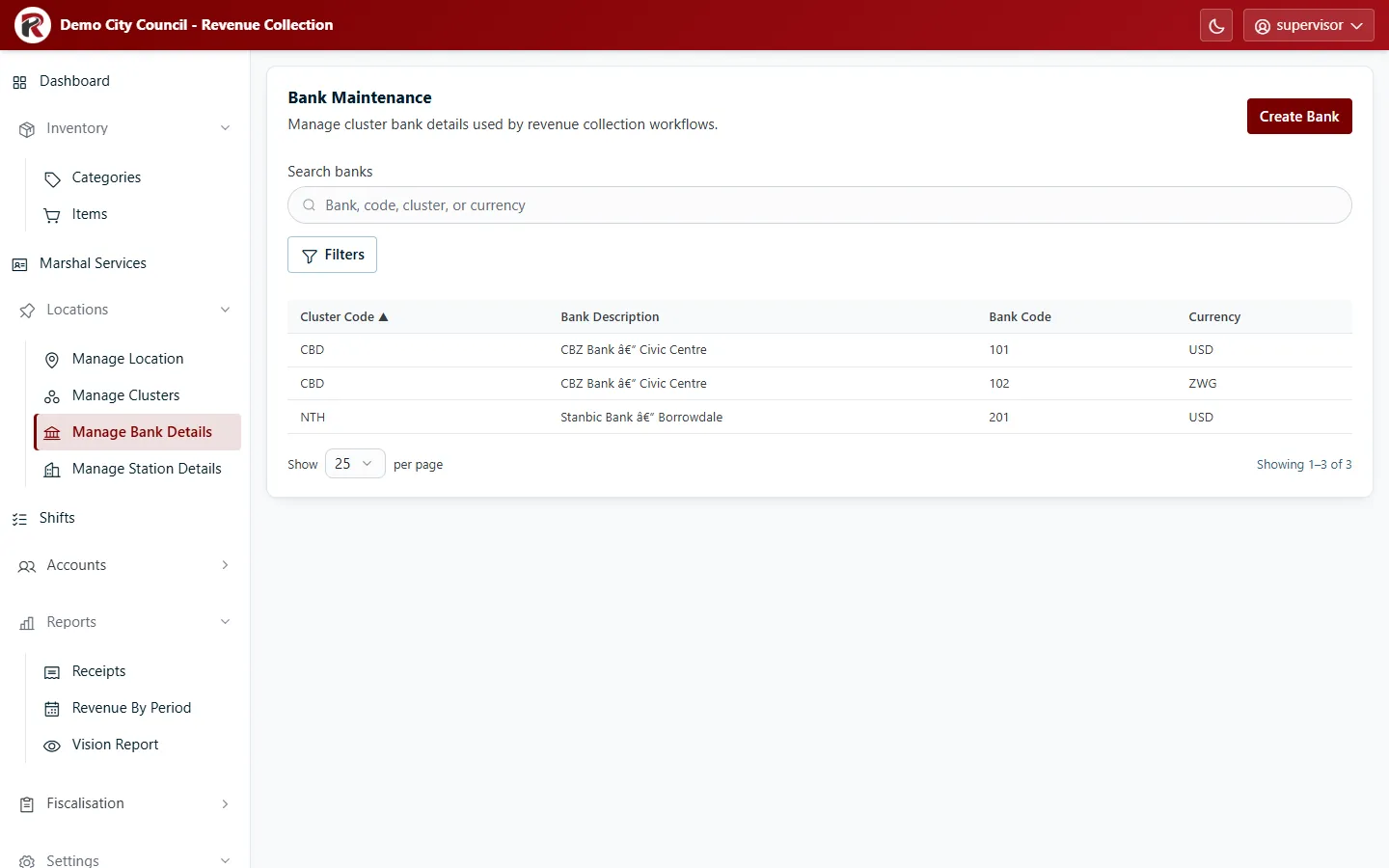
Add or change bank details
Section titled “Add or change bank details”- Create Bank: choose the Cluster, then enter the bank’s description, Bank Code and Currency.
- Select a row, then Edit to change it. Delete (under ⋯) removes it after you confirm.
- Filters narrows the list by cluster or currency.
RevColl user manual · build 19463 · Axis Solutions · Back to RevColl