
Device fiscal status
- Supervisor
- Administrator
- Auditor
Every RevColl handheld is a fiscal device registered with ZIMRA (FDMS). Each day it opens a fiscal day, signs every receipt, and closes the day. Device Fiscal Status shows where each device stands.
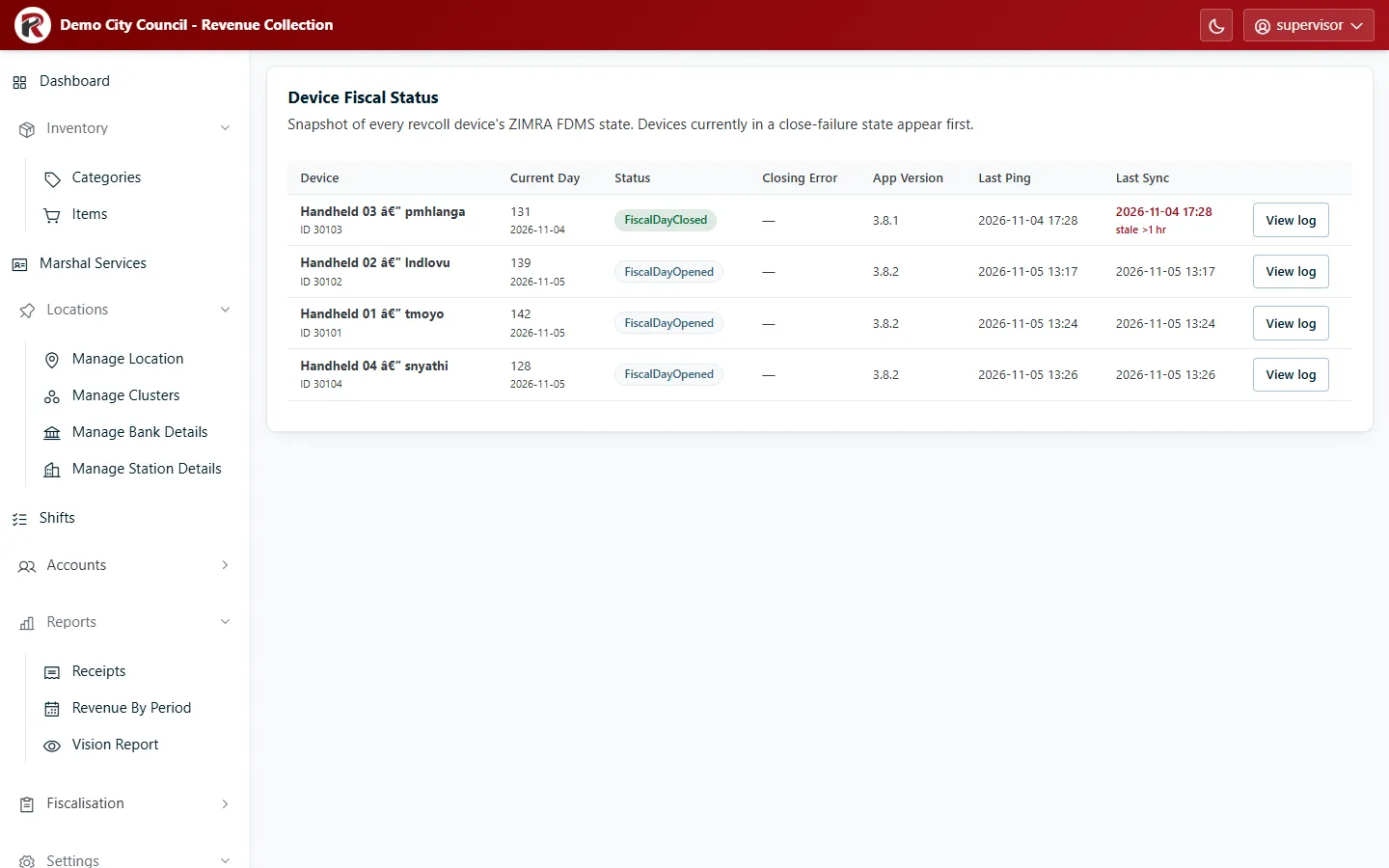
| Column | What it tells you |
|---|---|
| Device | The handheld’s name and FDMS device ID. |
| Current Day | Its fiscal day number. |
| Status | Whether the fiscal day is open or closed, or failed to close. |
| Closing Error | ZIMRA’s error code when the last close failed. |
| App Version | The RevColl app version on the handheld. |
| Last Ping / Last Sync | When it last contacted the server and last sent receipts. |
Devices whose fiscal day failed to close are listed first, because they need action.
When something needs attention
Section titled “When something needs attention”- A closing error. The handheld couldn’t close its fiscal day with ZIMRA. It usually retries on its own. If the error persists, select View log to see each attempt and contact Axis support with the device ID and error code.
- Last Sync hours old on a working day. The handheld hasn’t sent receipts. Check it has signal and is signed in. Receipts wait on the device until it syncs.
- An old App Version. Update the handheld from the store or your device manager.
RevColl user manual · build 19463 · Axis Solutions · Back to RevColl