
Roles and access
Every user has one role, set by an administrator in Users. The role decides which screens you can open and which appear in your side menu.
What each role does
Section titled “What each role does”| Role | Day to day |
|---|---|
| Supervisor | Runs operations: shifts, receipts, the catalogue, locations, accounts and reports. |
| Administrator | Manages users, permissions, company details and system settings. Can open every screen. |
| Auditor | Read-only: the dashboard, revenue reports, fiscal device status and audit logs. |
| Marshal | Collects revenue on the handheld app. Marshals do not use the back office. |
Who sees what in the menu
Section titled “Who sees what in the menu”| Menu | Supervisor | Administrator | Auditor |
|---|---|---|---|
| Dashboard | ✓ | ✓ | ✓ |
| Inventory: Categories, Items | ✓ | ||
| Marshal Services | with permission | ✓ | |
| Locations | ✓ | ✓ | |
| Shifts, Accounts | ✓ | ||
| Reports: Receipts | ✓ | ✓ | |
| Reports: Revenue By Period, Vision, Serenic | ✓ | ✓ | ✓ |
| Fiscalisation | ✓ | ✓ | ✓ |
| Audit Logs | ✓ (Settings) | ✓ (Reports) | |
| Settings: Account Types, UOMs, Tax, Currencies | ✓ | ✓ | |
| Settings: Manage Users, Company Details | ✓ | ||
| System Settings | ✓ |
An auditor’s menu, for example, has only the dashboard, reports, fiscalisation and audit logs:
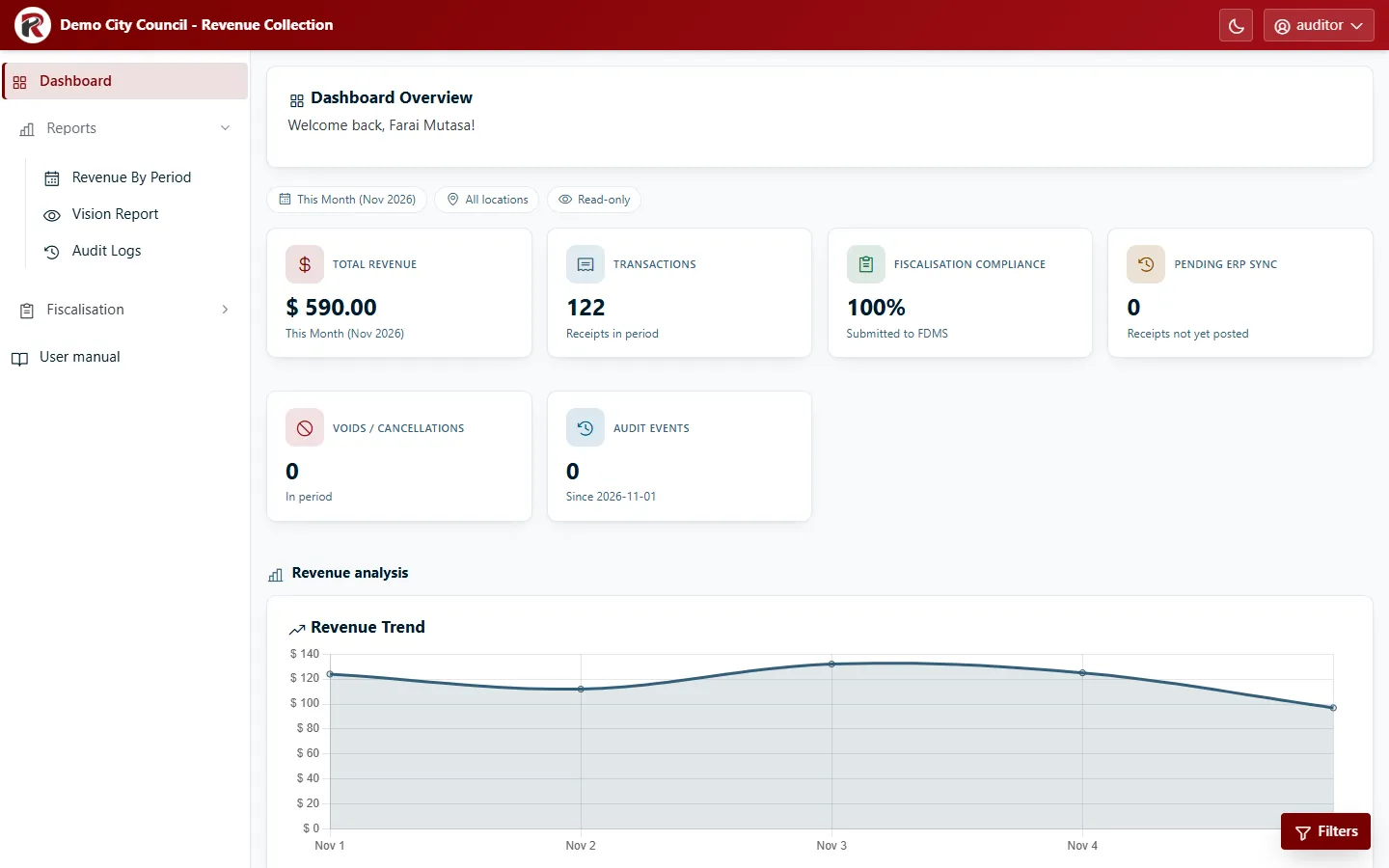
Administrators can open every screen, including ones that aren’t in their menu (for example Shifts), by going to the page directly or following a link.
Extra permissions
Section titled “Extra permissions”Some actions need a permission on top of the role. An administrator ticks them on the user’s profile in Users:
| Permission | Lets the user |
|---|---|
| Manage Advanced Shifts | Cancel a shift that has started, and change shift statuses. |
| Run Retroactive Missing Taxes Routine | Use Sync Missing Taxes on the Vision Report. |
| Manage Products | Create, edit, delete and import items. |
| Assign Products to Marshalls | Use Marshal Services to choose what each marshal may sell. Supervisors need it; Administrators always have it. |
RevColl user manual · build 19463 · Axis Solutions · Back to RevColl