
Receipts
- Supervisor
- Administrator
Every sale a marshal makes on the handheld becomes a receipt. Receipts reach RevColl when the handheld syncs and are fiscalised with ZIMRA. Reports → Receipts lists them all.
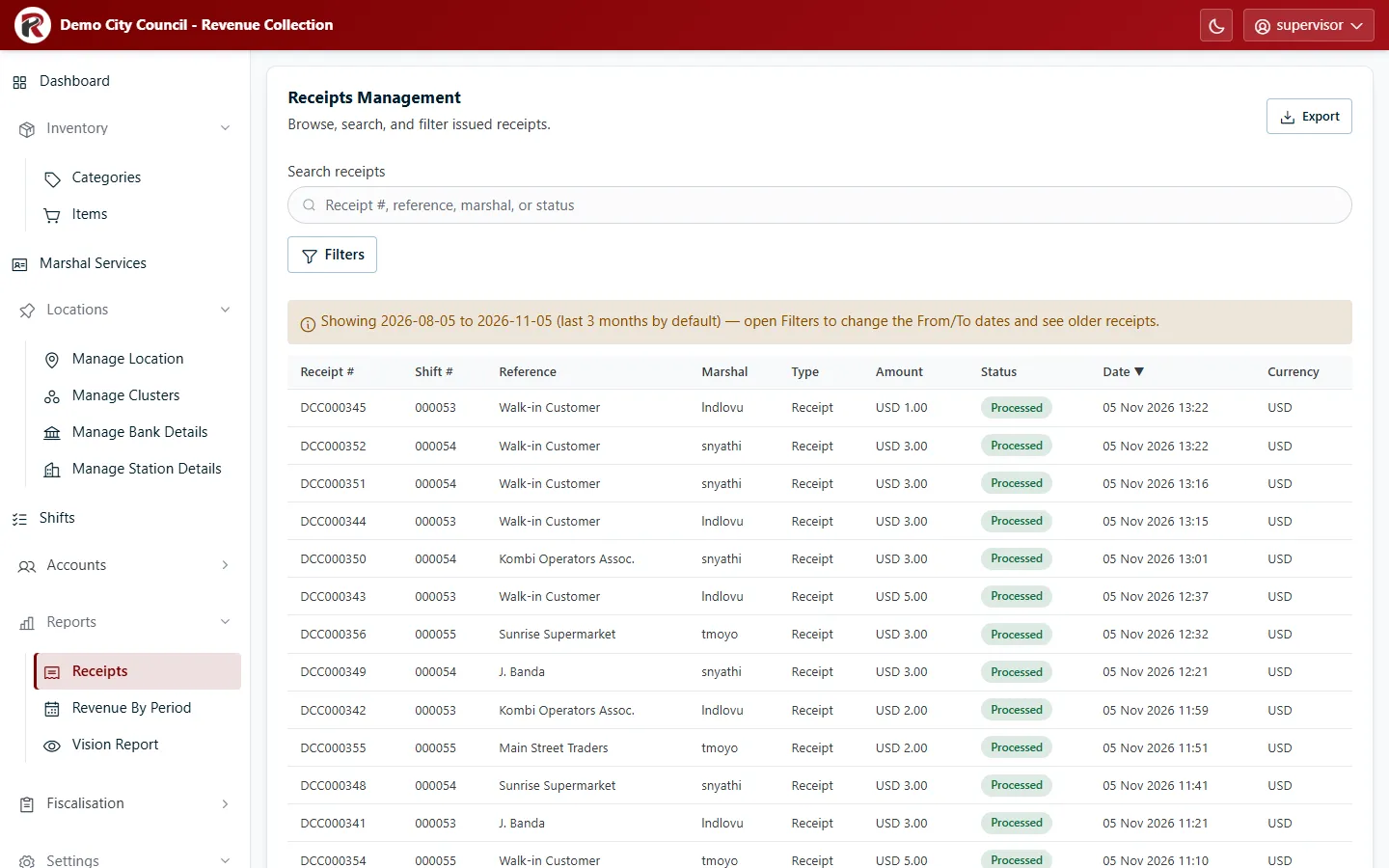
The table shows the receipt number, shift, reference (usually the customer), marshal, type, amount, status, date and currency. Newest come first.
Find a receipt
Section titled “Find a receipt”- Search by receipt number, reference, marshal or status.
- Filters narrows by From and To date, Currency, Type, Marshal, Cluster and Station.
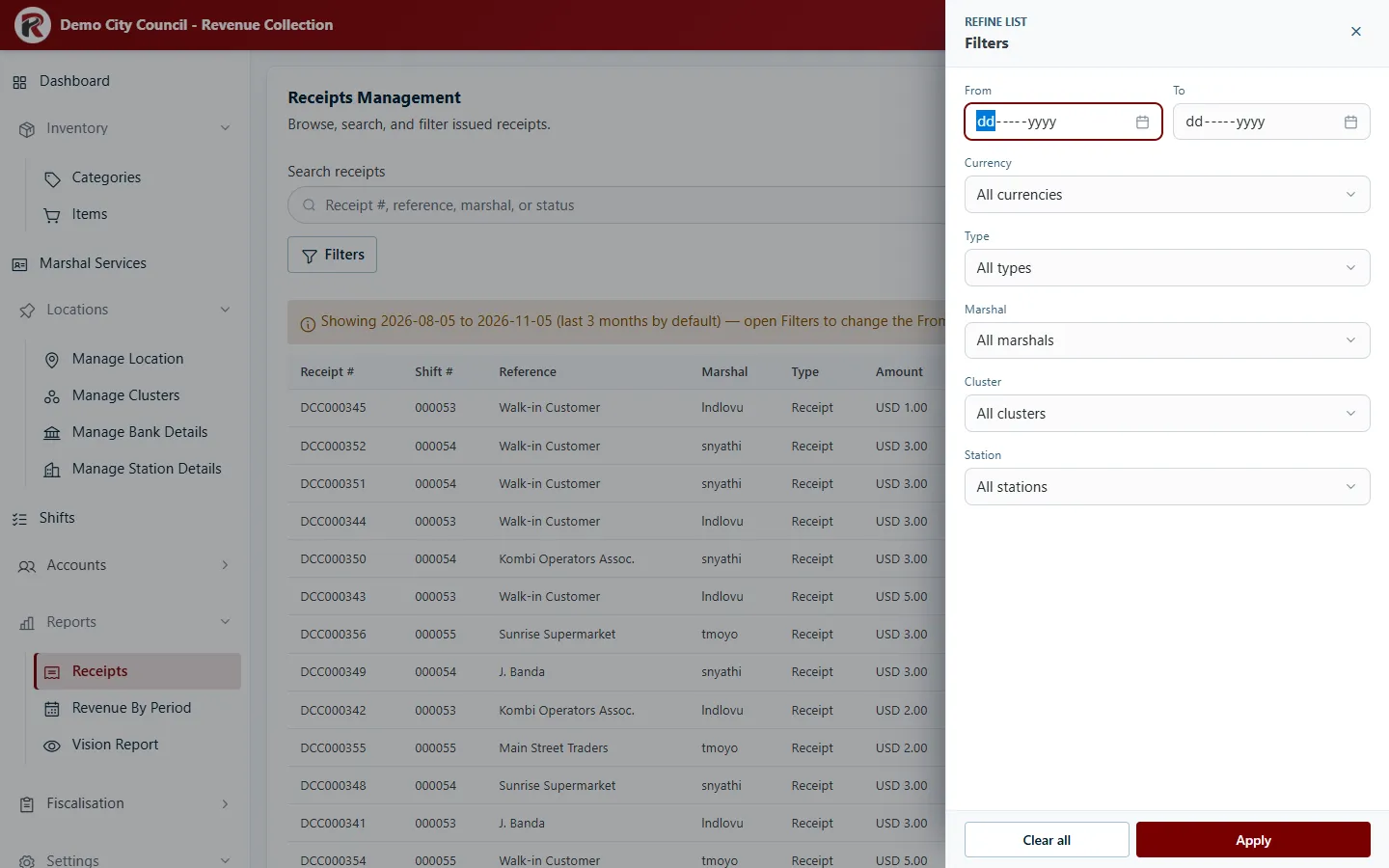
Type separates normal sales from corrections: Sales only, Corrections only, Credit notes or Debit notes. A credit note reduces an earlier receipt; a debit note adds to it.
Receipts for one shift, marshal or place
Section titled “Receipts for one shift, marshal or place”Several screens open Receipts already narrowed down: View Receipts on a shift, a marshal in Marshal Services, a cluster or a station.
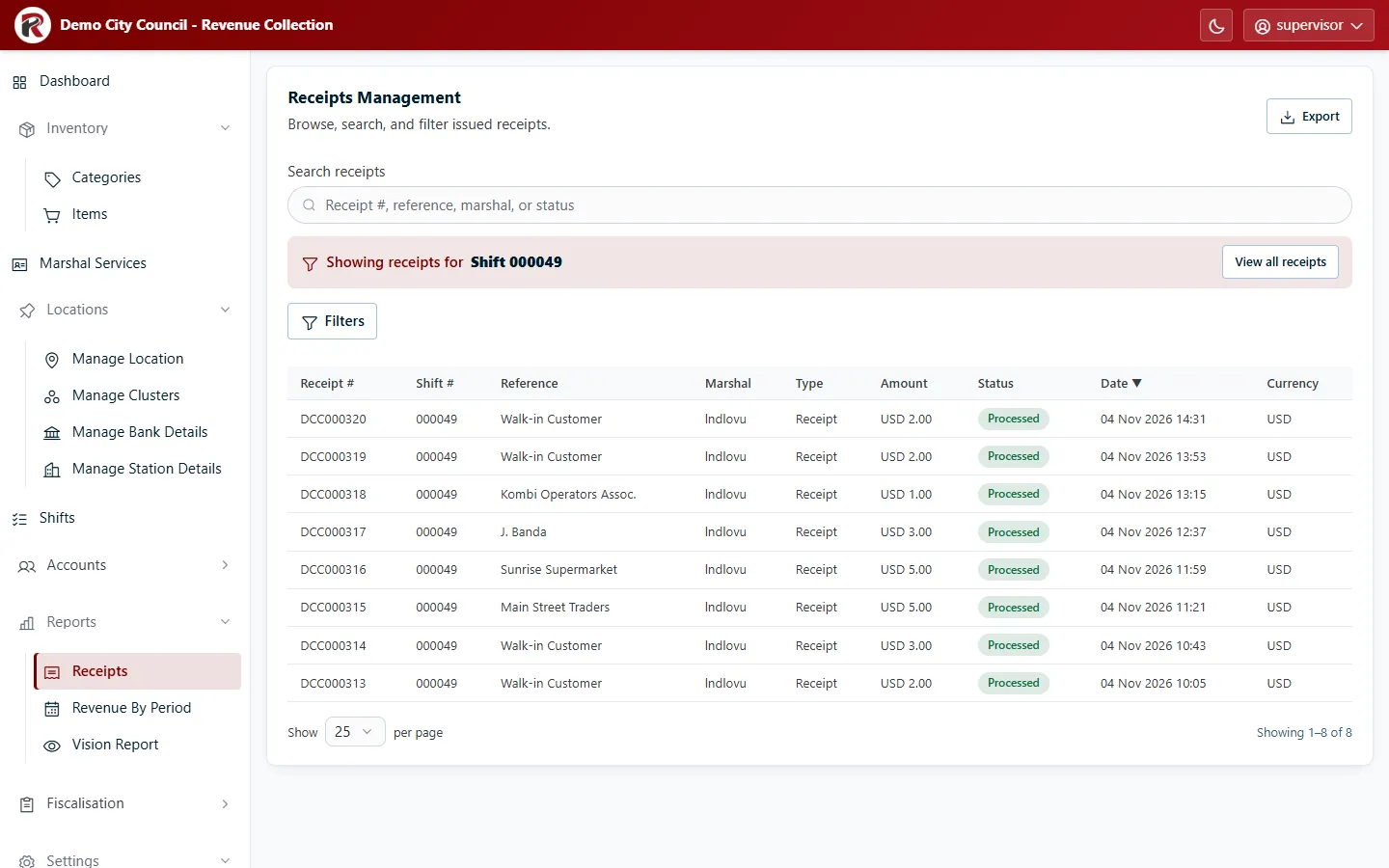
A banner says what you’re looking at (“Showing receipts for Shift 000049”). Search and Filters work within it. View all receipts goes back to everything.
Look at a receipt
Section titled “Look at a receipt”Select a row to open its drawer.
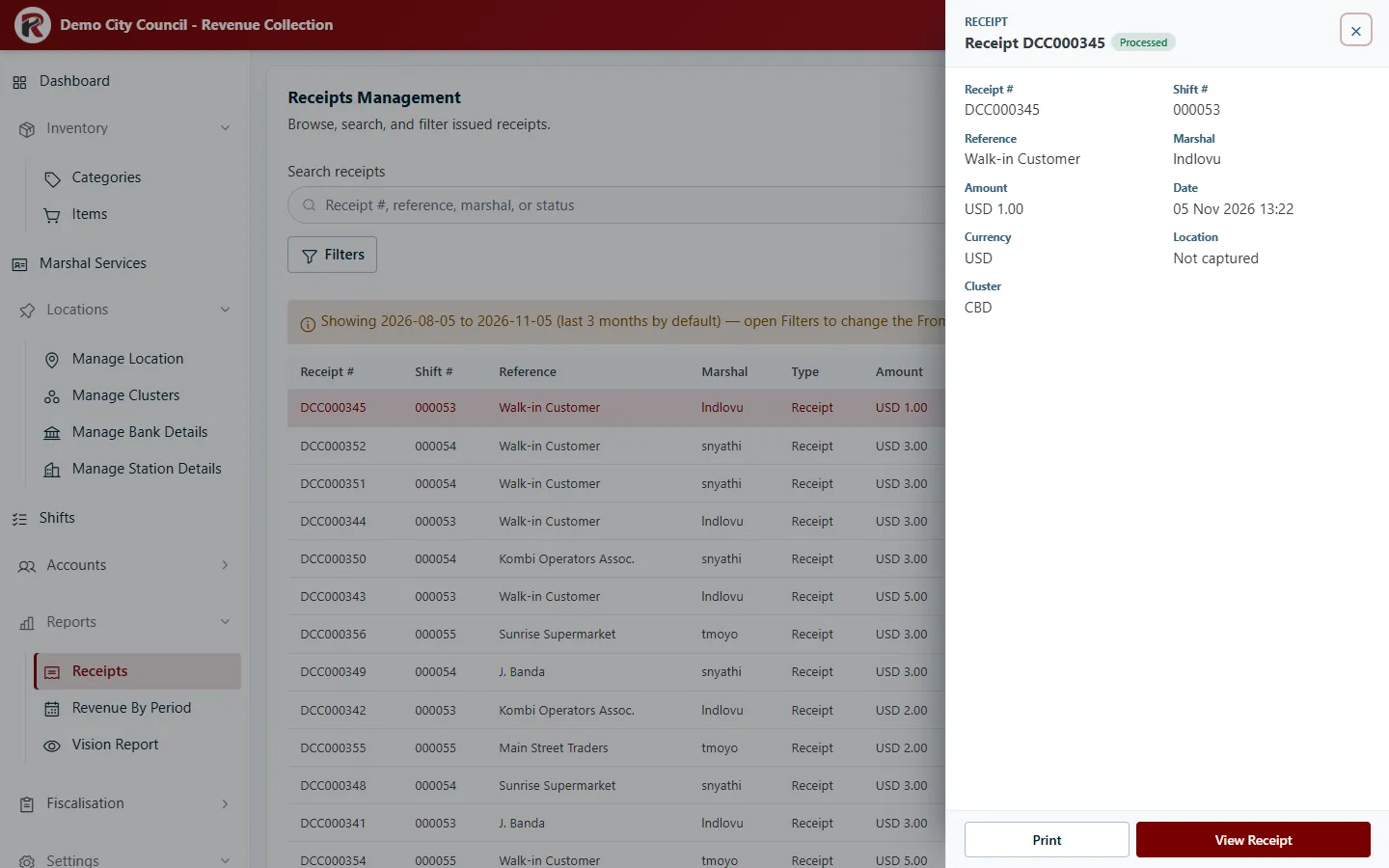
- View Receipt opens the full receipt, including its fiscal details.
- Print prints it.
- View on Map, under ⋯, shows where it was issued, when the handheld recorded a location.
Export
Section titled “Export”Export saves the list as CSV, Excel or PDF / Print, with your search and filters applied.
RevColl user manual · build 19463 · Axis Solutions · Back to RevColl